Home /
Expert Answers /
Computer Science /
part-1-e-r-model-using-crows-foot-in-visio-app-is-done-need-help-on-create-an-access-database-pa665
(Solved): part 1. (E-R model using crows foot in VISIO app) is done, need help on (create an access database ...
part 1. (E-R model using crows foot in VISIO app) is done, need help on (create an access database for your E-R design part2. #1-7)
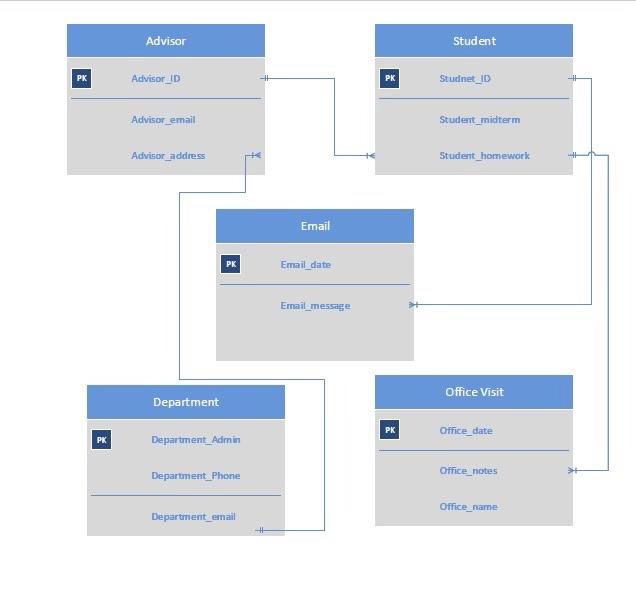
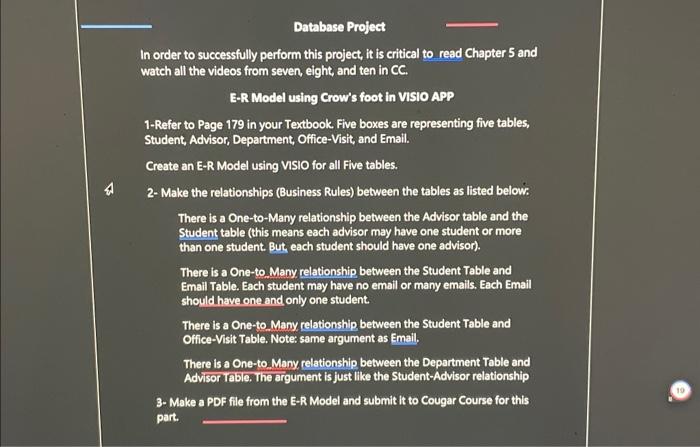

Database Project In order to successfully perform this project, it is critical to read Chapter 5 and watch all the videos from seven, eight, and ten in CC. E-R Model using Crow's foot in VISIO APP 1-Refer to Page 179 in your Textbook. Five boxes are representing five tables, Student, Advisor, Department, Office-Visit, and Email. Create an E-R Model using VISIO for all Five tables. 2-Make the relationships (Business Rules) between the tables as listed below: There is a One-to-Many relationship between the Advisor table and the Student table (this means each advisor may have one student or more than one student. But, each student should have one advisor). There is a One-to Many relationship between the Student Table and Email Table. Each student may have no email or many emails. Each Email should have one and only one student. There is a One-to Many relationship between the Student Table and Office-Visit Table. Note: same argument as Email. There is a One-to Many relationship between the Department Table and Advisor Tabie. The argument is just like the Student-Advisor relationship 3- Make a PDF file from the E-R Model and submit it to Cougar Course for this part.
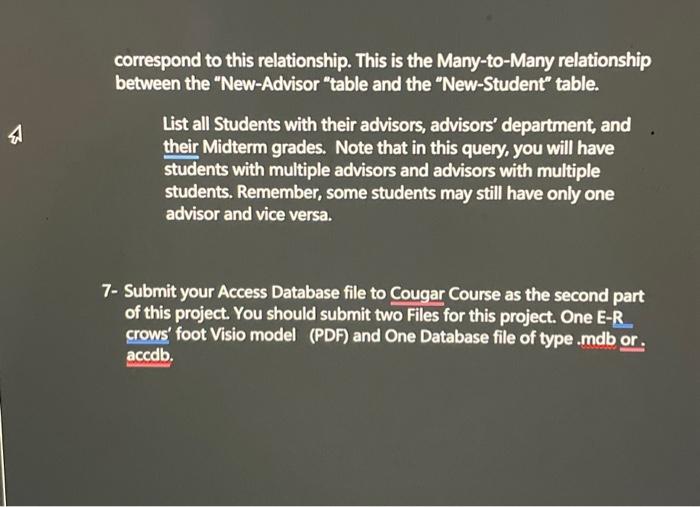
correspond to this relationship. This is the Many-to-Many relationship between the "New-Advisor "table and the "New-Student" table. List all Students with their advisors, advisors' department, and their Midterm grades. Note that in this query, you will have students with multiple advisors and advisors with multiple students. Remember, some students may still have only one advisor and vice versa. 7- Submit your Access Database file to Cougar Course as the second part of this project. You should submit two Files for this project. One E-R. crows' foot Visio model (PDF) and One Database file of type .mdb or. accdb.
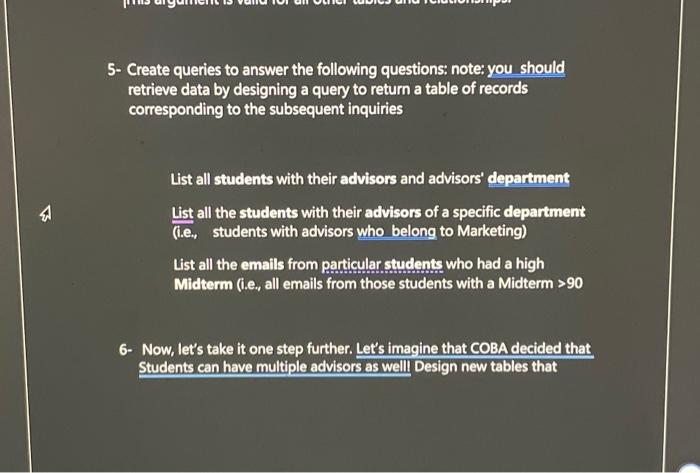
5- Create queries to answer the following questions: note: you should retrieve data by designing a query to return a table of records corresponding to the subsequent inquiries List all students with their advisors and advisors' department List all the students with their advisors of a specific department (i.e., students with advisors who belong to Marketing) List all the emails from particular students who had a high Midterm (i.e., all emails from those students with a Midterm 6- Now, let's take it one step further. Let's imagine that COBA decided that Students can have multiple advisors as well Design new tables that
Create an Access Database for your E-R Design 1- Create tables for each entity and relate those entities as shown in your E-R model above in Access Database. 2- Add each field of each table accordingly (in Design View). You can even add more fields if you want. Remember to choose the right "data type" for each field. For Example, in the Student table, StudentName is of type "short text." But, Midterm is of type "number." I suggest using StudentiD as a "Primary Key," not the StudentName, same goes for AdvisorlD instead of AdvisorName; however, it is Ok if you don't. 3- Add the proper Foreign Keys to appropriate tables. Remember the Foreign keys are not in the Boxes on page 179. This is the most critical part of the project. 4- Fill your Database with Sample data. You make up your own data; however, you should be careful to represent the tables' correct relationships by entering appropriate data. For Example, there is a Oneto-many relationship between the Advisor table and the Student table. Therefore, data should contain multiple students for the same advisor. This argument is valid for all other tables and relationships.