Home /
Expert Answers /
Computer Science /
html-5-and-css-tutorial-4-graphic-design-with-css-amy-has-already-created-a-style-sheet-for-the-p-pa153
(Solved): HTML 5 and CSS | Tutorial 4 Graphic Design with CSS Amy has already created a style sheet for the p ...



HTML 5 and CSS | Tutorial 4 Graphic Design with CSS Amy has already created a style sheet for the page layout and typography, so your work will be focused on enhancing the page with graphic design styles. Complete the following: 1. Using your editor, open the sf_torte_txt.html and sf_effects_txt.css files from the html04 case 1 folder. Enter your name and the date in the comment section of each file, and save them as sf_torte.html and sf_effects.css respectively. 2. Go to the sf_torte.html file in your editor. Within the document head create links to the sf_base. css, sf_layout.css, and sf_effects.css style sheet files in that order. Take some time to study the structure of the document and then close the document, saving your changes. 3. Go to the sf_effects.css file in your editor. Within the Body Header Styles section, create a style rule for the body element to add drop shadows to the left and right border of the page body with an offset of 10 pixels, a blur of 50 pixels, and the color rgb . Note that the right border is a mirror image of the left border. 4. Go to the Navigation Tabs List Styles section. Amy has created a navigation list with the class name tabs that appears at the top of the page with the body liedder. Create a style rule for the body header nav. tabs selector that changes the background to the image file sf_back1. png with no tiling, centered horizontally and vertically within the element and sized to cover the entire navigation list. 5. Amy wants the individual list items in the tabs navigation list to appear as tabs in a recipe box. She wants each of these "tabs" to be trapezoidal in shape. To create this effect, you'll create a style rule for the body > header nav, tabs 1 i selector that transforms the list item by setting the perspective of its space to 50 pixels and rotating it around the -axis. 6. As users hover the mouse pointer over the navigation tabs, Amy wants a rollover effect in which the tabs appear to come to the front. Create a style rule for the body s header nav. tabs selector that uses the pseudo-element hover that changes the background color to rgb(231, 231, 231). 7. Go to the Left Section Styles section. Referring to Figure 4-70, notice that in the left section of the page, Amy has placed two vertical navigation lists. She wants these navigation lists to have rounded borders. For the vertical navigation lists in the left section, create a style rule for the section \$left nav, vertical selector that adds a 1-pixel solid border with color value and has a radius of 25 pixels at each comer. 8. The rounded corner also has to apply to the heading within each navigation list. Create a style rule for h1 elements nested within the left section vertical navigation list that sets the topleft and top-right comer radii to 25 pixels.
9. Go to the Center Article Styles section. The article element contains an image and brief description of the Apple Bavarian Torte, which is the subject of this sample page. Create a style rule for the section\#center article selector that adds the following: a) a radial gradient to the background with a white center with a color stop of transitioning to rgb(151,151, 151 ), b) a 1-pixel solid border with color value rgb and a radius of 50 pixels, and c) a box shadow with horizontal and vertical offsets of 10 pixels with a 20 -pixel blur and a color of . 10. Go to the Blockquote Styles section. Amy has included three sample reviews from users of the Save your Fork website. Amy wants the text of these reviews to appear within the image of a speech bubble. For every blockquote element, create a style rule that does the following: a) sets the background image to the sf_speech.png file with no tiling and a horizontal and vertical size of to cover the entire block quote, and b) uses the drop-shadow filter to add a drop shadow around the speech bubble with horizontal and vertical offsets of 5 pixels, a blur of 10 pixels and the color . 11. Amy has included the photo of each reviewer registered on the site within the citation for each review. She wants these images to appear as circles rather than squares. To do this, create a style rule for the selector cite img that sets the border radius to . 12. Save your changes to the style sheet file and then open sf_torte.html in your browser. Verify that the design of your page matches that shown in Figure 4-70. Confirm that when you hover the mouse over the navigation tabs the background color changes to match the page color.
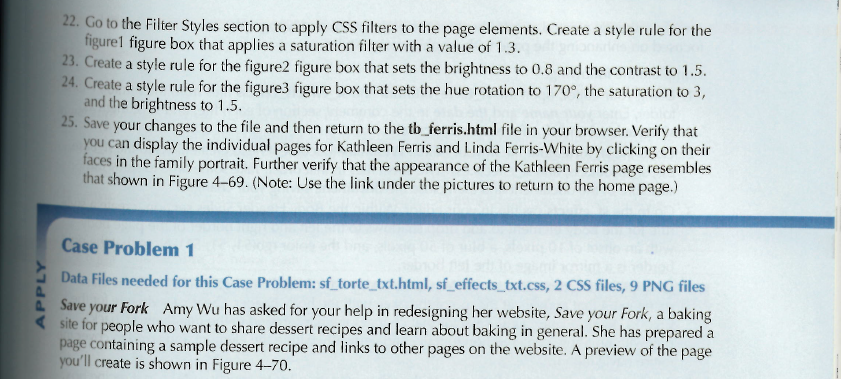
22. Go to the Filter Styles section to apply CSS filters to the page elements. Create a style rule for the figure1 figure box that applies a saturation filter with a value of 1.3. 23. Create a style rule for the figure 2 figure box that sets the brightness to 0.8 and the contrast to 1.5 . 24. Create a style rule for the figure 3 figure box that sets the hue rotation to , the saturation to 3 , and the brightness to 1.5 . 25. Save your changes to the file and then return to the tb_ferris.html file in your browser. Verify that you can display the individual pages for Kathleen Ferris and Linda Ferris-White by clicking on their faces in the family portrait. Further verify that the appearance of the Kathleen Ferris page resembles that shown in Figure 4-69. (Note: Use the link under the pictures to return to the home page.) Case Problem 1 Data Files needed for this Case Problem: sf_torte_txt.html, sf_effects_txt.css, 2 CSS files, 9 PNG files Save your Fork Amy Wu has asked for your help in redesigning her website, Save your Fork, a baking site for people who want to share dessert recipes and learn about baking in general. She has prepared a page containing a sample dessert recipe and links to other pages on the website. A preview of the page you'll create is shown in Figure 4-70.
Wor 12 minites.