(Solved): Use the Class Invoice, provided in the template NetBeans project Functional Programming Template in ...
Use the Class Invoice, provided in the template NetBeans project Functional Programming Template in Canvas, to perform the following queries on the List of invoice objects and display the results. The List of invoice objects is created in the main method of Functional Programming Template project provided. The Invoice class is also provided in the project template.
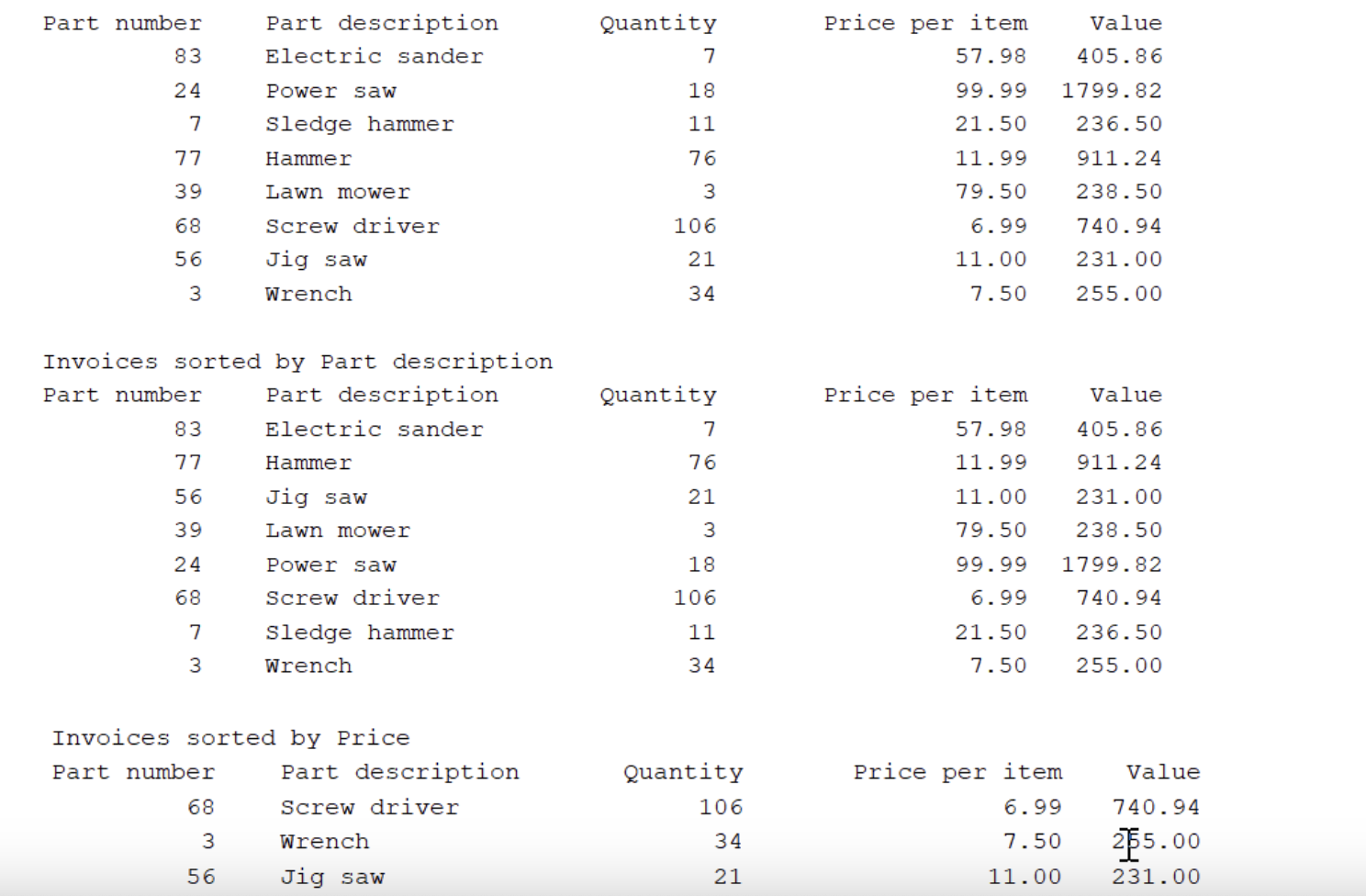
a) use streams to sort the invoice objects by partDescription, then display the results.
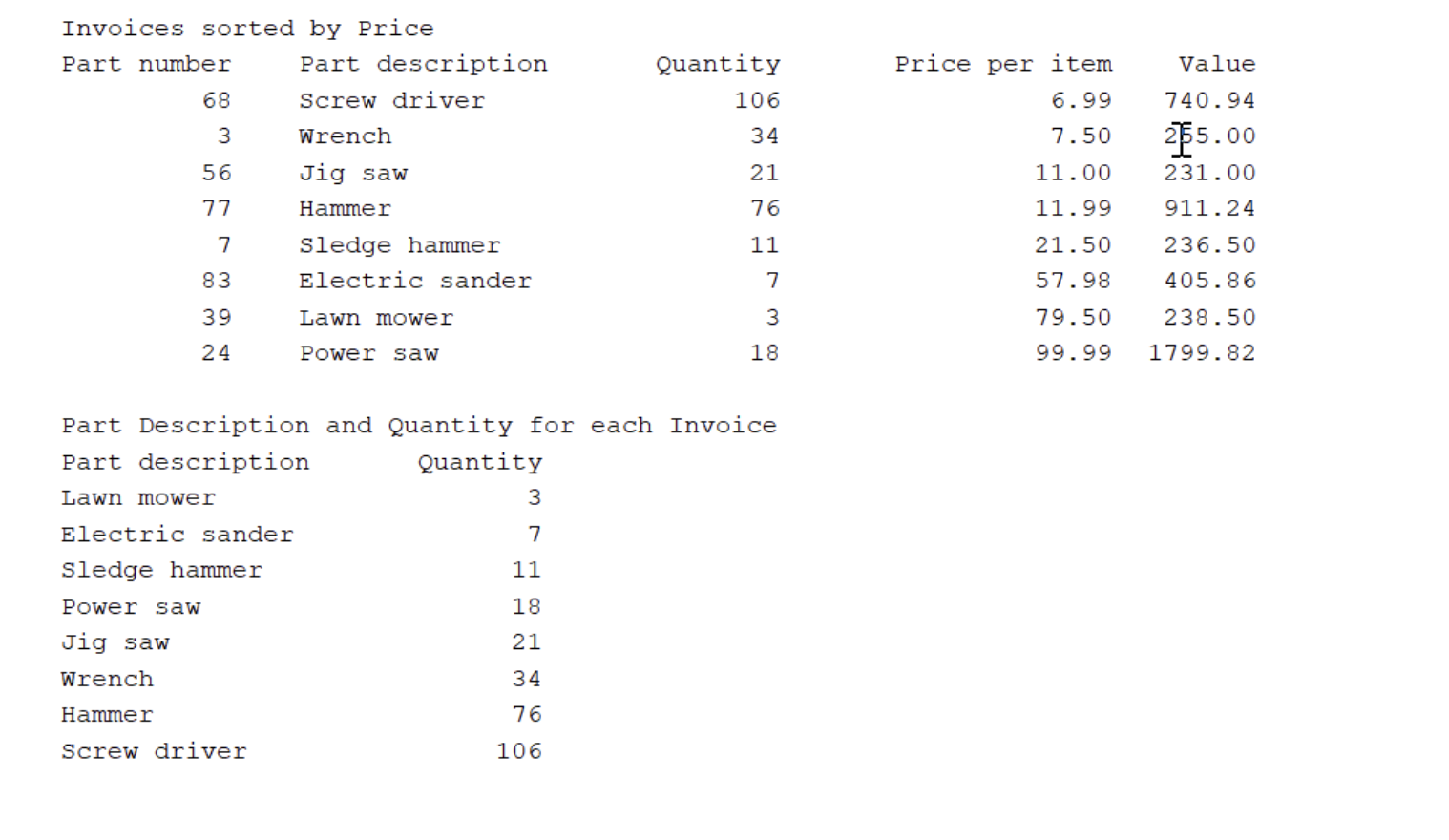
b) use streams to sort the invoice objects by pricePerItem, then display the results.
c) use streams to map each invoice object to its partDescription and quantity, sort the results by quantity, then display the results.
The following is how your results should appear:
import java.util.List;
import java.util.Map;
import java.util.stream.Collectors;
/**
*
* r acv
*/
public class FunctionalProgrammingTemplate {
/**
* args the command line arguments
*/
public static void main(String[] args) {
// TODO code application logic here
// create the ArrayList of Invoices
List<Invoice> invoices = List.of(
new Invoice(83,"Electric sander", 7, 57.98),
new Invoice(24,"Power saw", 18, 99.99),
new Invoice(7,"Sledge hammer", 11, 21.50),
new Invoice(77,"Hammer", 76, 11.99),
new Invoice(39,"Lawn mower", 3, 79.50),
new Invoice(68,"Screw driver", 106, 6.99),
new Invoice(56,"Jig saw", 21, 11.00),
new Invoice(3,"Wrench", 34, 7.50));
//Display the table of invoices using Invoice toString().
//Print table header.
System.out.println("Part number\tPart description\tQuantity\tPrice per item\tValue");
invoices.stream()
.forEach(System.out::print);
//a)Use streams to sort Invoice object by partDecsription, then display the results.
//b)Use streams to sort Invoice object by price, then display the results.
//c)Use streams to map each Invoice to its partDescription and quantity,
// then display the results.
}
}